Is It Legal to Download a Website From the Wayback Machine?
A plain English look at copyright, the Internet Archive’s own rules, and the real difference between recovering your own site and copying someone else’s.
Downloading your own archived site is legal. Downloading someone else’s is not. Almost every real question about Wayback Machine recovery falls into one of those two buckets. You did not put those pages in the archive, does downloading them actually belong to you? The honest answer depends far more on whose content it is than on the act of downloading a website from the Wayback Machine itself.
One quick note before any of this: it is a plain explanation of how copyright and archiving generally interact, not legal advice for your specific situation. Copyright law differs between the US, the UK, Canada, and everywhere else, and the details of your case matter. If there is real money or a real dispute riding on the answer, a lawyer who can look at your actual facts is worth the call.
What the Internet Archive itself says about this
The Internet Archive is upfront that its terms of use do not cover acting as a general backup service for the public, and it no longer runs its own service for restoring lost sites. What it has always supported is looking up and referencing archived pages, and site owners retrieving their own historical content.
If a site was excluded through its robots.txt file at the time it was crawled, or if the owner specifically requested removal by emailing the Archive directly, it will not appear in search results. That review process exists precisely so a site owner’s wishes get respected, even retroactively. The Archive is explicit that it reviews these requests individually and does not promise a particular outcome in advance.
Is It Legal to Recover Your Own Site from the Archive?
If the domain is yours, or you run the business it belongs to, you already own the copyright in that content. Pulling it out of the archive and rebuilding it is no different, legally, from restoring it out of a backup you made yourself. You are not taking anything that was not already yours. You are just getting it from a different source because your original copy is gone.
This is the situation most people looking into a Wayback Machine recovery are actually in, and it is the one with the least to worry about.
Ownership questions that are less obvious than they look
A few common situations sit slightly off the clean case above, and they are worth thinking through before you start.
| Situation | Where ownership usually sits |
|---|---|
| You bought a business including its website | Usually transfers with the sale, but check the purchase agreement |
| An agency built the site for you | Depends on the contract, some retain rights to design work |
| A freelancer wrote the copy | Depends whether the contract assigned rights or licensed them |
| You bought an expired domain someone else used | You own the domain, not the previous owner’s content |
| Stock photos appeared on your old site | Licensed, not owned, so the original licence terms still apply |
The expired domain case is the one that catches people most often. Buying a lapsed domain gives you the address. It does not hand you rights to whatever the previous owner published there, so rebuilding their old site on it and running it as your own is not a shortcut anyone should take. If you are trying to recover website after hosting expired, that is a separate situation with its own process.
Downloading someone else’s site is a different question
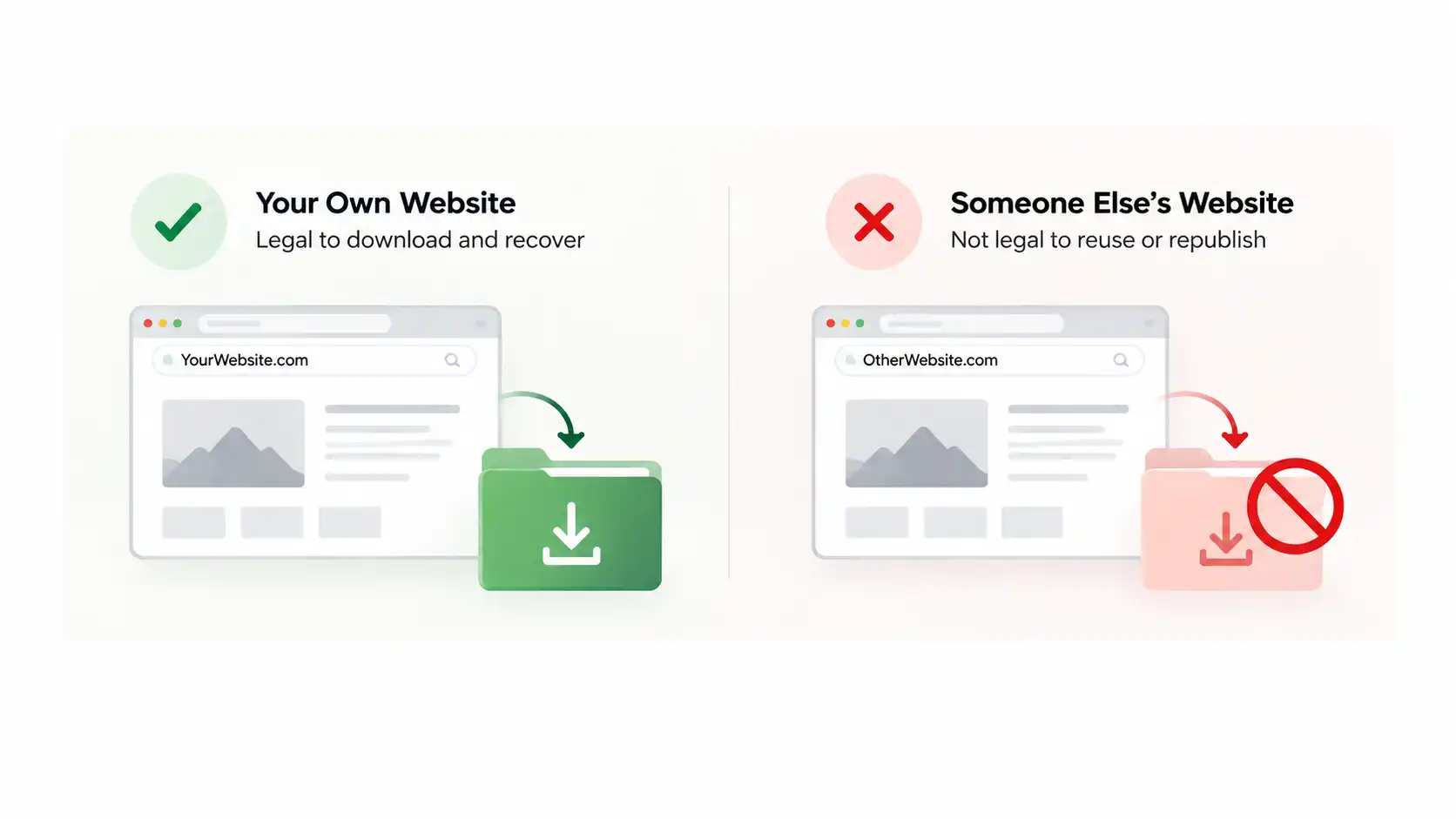
The archive stores a huge amount of content that belongs to other people and businesses, and being able to view or download a copy does not hand you any ownership or rights over it. Copyright protects the content itself, regardless of where it happens to be hosted or who is showing it to you at the time.
Looking at an old version of a competitor’s page for research is generally treated the same as looking at their current site: unremarkable, and not something anyone gets in trouble for. Copying that page’s text, images, or design and reusing them as your own is a different matter, and pulling it from an archive first does not change that any more than copying it straight off the live site would.
| Usually not a problem | Where it gets risky |
|---|---|
| Viewing or browsing archived pages for research | Republishing someone else’s text, images, or design as your own |
| Recovering a site you own or represent | Rebuilding a competitor’s site and presenting it as your product |
| Citing or linking to a snapshot as a source | Ignoring a site that was deliberately excluded from the archive |
| Using a snapshot as evidence of what a page once said | Using archived branding in a way that implies endorsement |
| Studying an old layout for inspiration | Reproducing a distinctive design closely enough to confuse customers |
Trademark is the quiet second issue in that right hand column. Even where a copyright argument might be arguable, using another company’s name, logo, or branding in a way that suggests a connection you do not have is its own separate problem.
Does Fair Use Cover Wayback Machine Downloads?
People often reach for fair use as a catch all justification, and it is worth understanding what it actually covers. In the US, fair use is a defence that weighs several factors, including the purpose of the use, how much of the work was taken, and whether the use harms the market for the original. The UK and Canada have narrower equivalents, fair dealing, which apply to specific listed purposes such as research, criticism, review, and news reporting rather than functioning as a general exception.
In practice this means quoting a short passage from an archived page in an article, or referencing it in research, sits comfortably inside those exceptions in most cases. Wholesale copying of a site to run as your own does not, in any of these jurisdictions. The gap between those two is wide, and most real questions fall clearly on one side or the other rather than in the middle.
What robots.txt exclusion actually means for you
If a site was blocked from crawling at some point, or its owner requested removal, its history may be thin, gated, or missing entirely from search results. That is one of the more common reasons people cannot find their own old site in the archive at all, and it gets its own troubleshooting guide on what to do when the Wayback Machine is not showing your site. If you are the current owner asking to recover your own history, that same email request process is also how you would go the other way and ask the Archive to reconsider an old exclusion.
A sensible way to approach it
- Confirm you actually own or represent the site before recovering it, especially on a domain that changed hands.
- Keep recovered material for its original purpose. Restoring your own pages is not the same as repurposing someone else’s.
- Check licences on stock imagery and fonts before republishing them on a rebuilt site.
- Respect an exclusion. If a site was deliberately kept out of the archive, that was a decision, not an obstacle.
- Get advice early if the recovery is tied to a dispute, a sale, or a domain someone else once used.
If the site is yours and you simply want it back, that is the ordinary case this whole service exists for. RecoverYourSite’s recovery tool handles the retrieval itself, the manual services cover rebuilding a snapshot into WordPress or reviving an expired domain properly, and plan limits are set out on the pricing page. For licensed assets you may need to replace on a rebuilt site, the recommended tools page lists design and stock resources alongside hosting and security options.
Frequently asked questions
Can I get in trouble just for downloading an old version of my own site?
No. You own the content, so recovering it is no different from restoring any other backup of your own material.
Does the Wayback Machine ask permission before archiving a site?
Its crawler works broadly like a search engine’s: it crawls publicly accessible pages without asking each site owner individually first. Robots.txt files and direct removal requests are the two main ways an owner can keep a site out of it.
I bought an expired domain. Can I restore what was on it before?
You can look at the history, and often should, to understand what the domain was used for. Republishing the previous owner’s content as your own is a different matter, since buying a domain transfers the address rather than the copyright in what someone else wrote.
Is archived content treated differently in a legal dispute?
Sometimes, yes. Courts have accepted Wayback Machine captures as evidence, but usually with authentication requirements attached, which is enough of its own topic that it gets a dedicated guide on using archived web pages as evidence in a legal dispute.
What if my old site included content I licensed rather than owned?
The original licence terms still govern it. A stock photo licensed for a site you ran five years ago may or may not cover republishing it now, depending on the licence. Where you cannot confirm the terms, replacing the asset is usually cheaper than resolving it later.
Does it matter which country I am in?
It can. Copyright is national law, and the specifics of exceptions, fair use, and fair dealing differ between the US, the UK, and Canada. The broad principle that you own your own content and not other people’s holds up everywhere, but the edges vary.
Most people asking this question are simply trying to get their own site back, and that is the one scenario where the legal picture is genuinely simple. The moment someone else’s content enters the picture, the same rules that apply anywhere else on the internet still apply here too.
Recovering your own site and want a second opinion first? Get in touch with the details and we will tell you what is possible.